Safety that doesn't
need a bodyguard.
A complete security detail isn't always the right fit — sometimes you want backup that's invisible, automatic, and entirely under your control. The ClutchSOS app was designed by professors, students, and security experts to give you exactly that, with three layers of response built around the reality of how danger actually unfolds.
Students at the University of Minnesota on living with ClutchSOS.
Arm it once.
It does the rest.
From your pocket to your contacts to a courtroom — three taps, and the app handles the chain of evidence on its own.
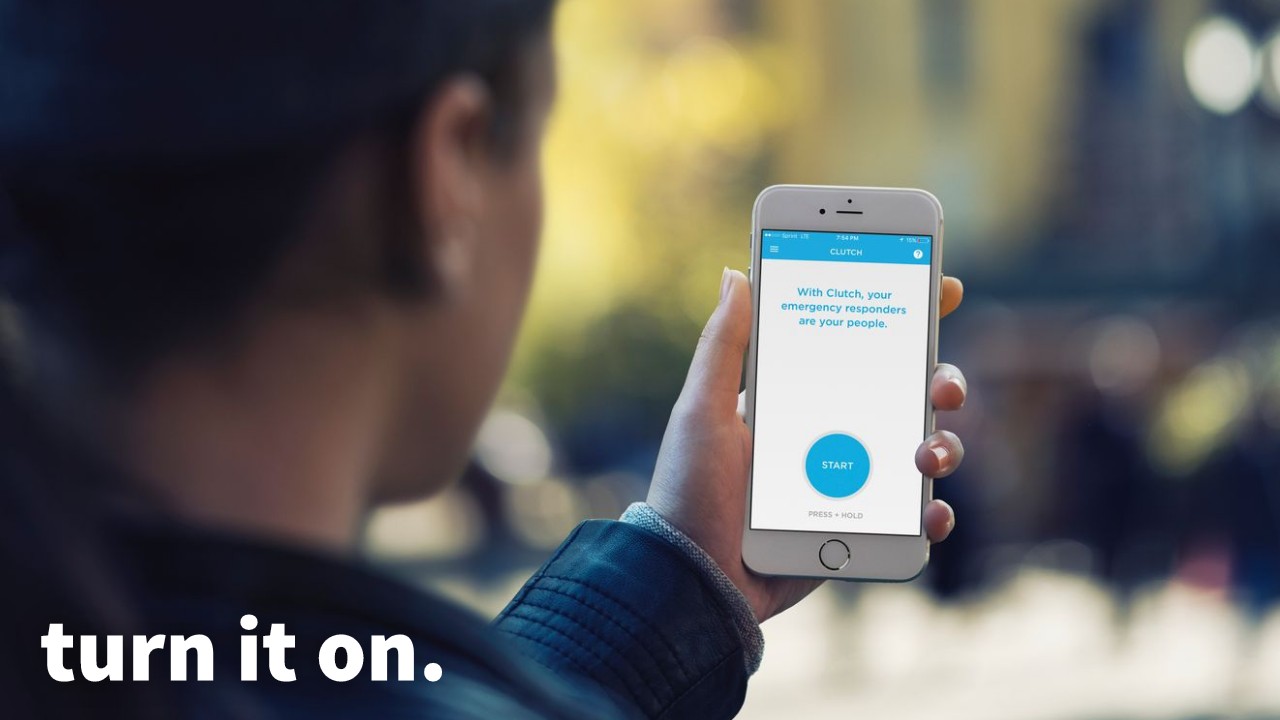
Press start.
You can set automatic alerts based on length of time or battery life. Every time you leave home, work, or any place of safety, arm the ClutchSOS app by pressing and holding the start button.
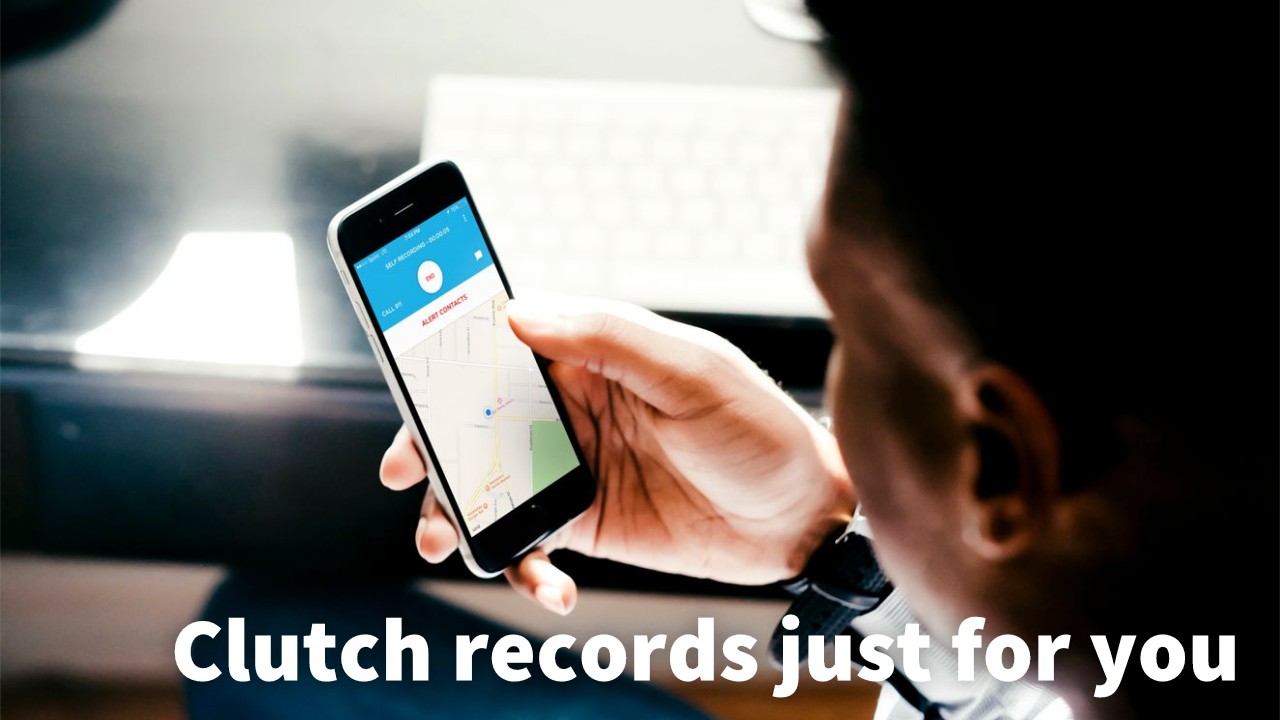
Self recording.
Now you're recording your audio and location. You can leave a note for friends about your situation — where you are, who you're with, when you expect to be back.
Alert friends.
Your chosen contacts get an alert. They'll see the notes you left, your medication and allergy information, and they can hear you, speak to you, and see your location to come get you. All audio is recorded and sent — even if they didn't answer, and even if the phone breaks or dies, as long as there's signal.
"It makes looking out for my sorority sisters so easy."
— Katheryn
Always armed.
Always with you.
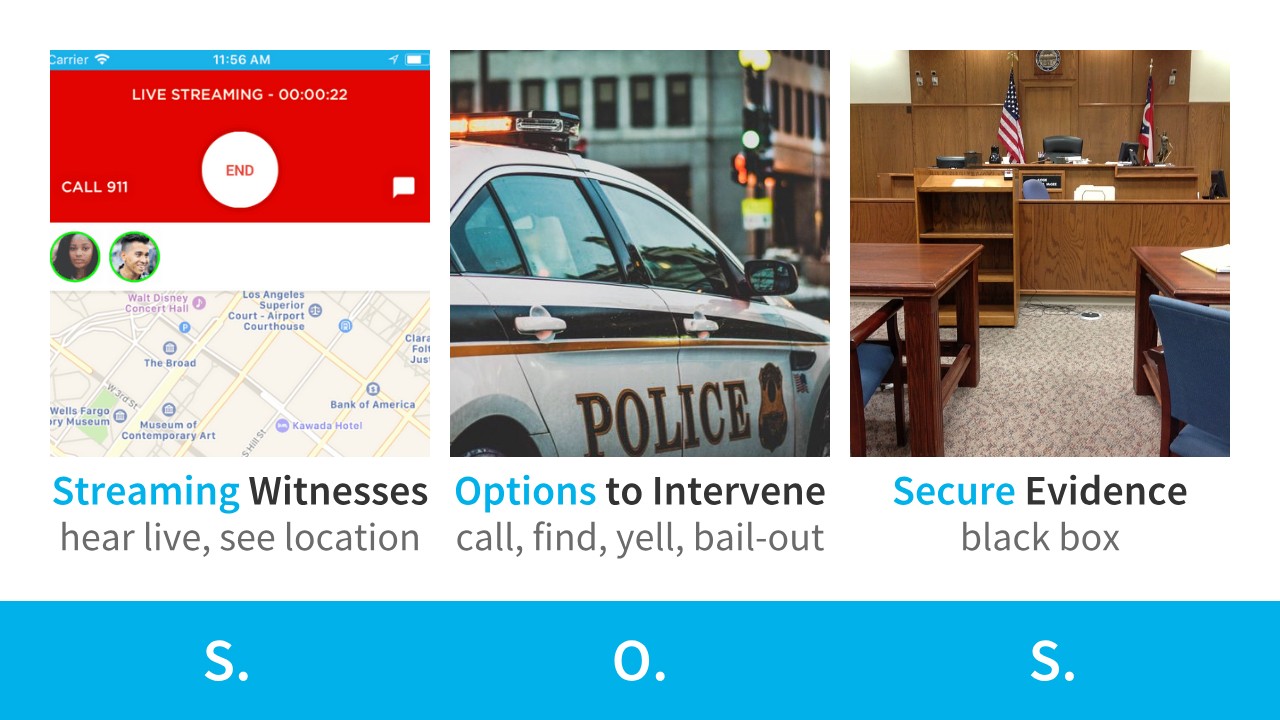
Most safety apps alert someone after the fact. The ClutchSOS app works in real time — and preserves the evidence even if the phone is destroyed. It does that through three key capabilities: Streaming witnesses, Options to intervene, and Secure proof — S.O.S.
Streaming witnesses.
Friends can instantly see your location, hear what's happening, text with you, or speak to you — while it's still happening.
Options to intervene.
In-app witnesses can call 911, provide information to first responders, yell at an attacker over the line, or come find you.
Secure proof.
Audio recording, location, date, and text — shared to your contacts even if the phone is damaged or destroyed.
Because the bodyguard
isn't always there.
The ClutchSOS app was designed with heavy input and inspiration from college students — because 25% of young women face some form of sexual threat, and because there are common gaps in security for non-executive family members. The app provides additional options your family will actually use.
Like a home security system, the ClutchSOS app works automatically for you.
Unlike a home security system, it connects you with your trusted contacts — anywhere.
How the app shows up
in everyday life.
Worst-case scenarios are what the app was built for. The everyday uses are what it's known for — the quieter, regular ways it gives users and the people they care about a layer of backup.

"I've been bullied for not fitting in at school. The app lets my friends hear everything, so it's not just my word when I talk to school officials."

"I had an allergic reaction right after finishing a jog. My girlfriend translated for me to a helpful bystander via the app and used it to pick me up."

"I really like the audio recording. I can protect my ride-share rating if there's any dispute; letting passengers know puts them at ease too."

My client was harassed for a year by a stalker and used ClutchSOS to gather the proof and witnesses needed to pursue a restraining order. I now recommend ClutchSOS to my clients and colleagues.
Available now on the App Store.
Get the ClutchSOS app.
Currently available on the Apple App Store in the United States, Canada, and Mexico. Used on at least six continents — in Singapore, Luxembourg, South Africa, Qatar, Switzerland, Denmark, Kenya, Germany, Japan, and many more.
Want the app in your country? Let us know here.






How to use the app well.
The app is most effective when it's set up thoughtfully and used consistently. The most common questions real users ask, with answers in their own register.
How do I choose my Clutch Contacts?
As a rule of thumb, if a person is loud, has anger management issues, is unreliable, or easily cracks under pressure, they may be a great friend but usually aren't very Clutch. Still invite them to ClutchSOS — they may need your help. But for your contact list, choose people you trust: people who can keep a secret, who stay cool under pressure, who are dependable.
If you don't have anyone like that in your life, you now have an opportunity to seek out and develop deeper friendships with truly Clutch people.
How do I ensure my recordings always save?
A few things can prevent a recording from showing on your device:
1. Phone destroyed before upload completes. In Private Mode, if your phone dies or breaks before the recording uploads, it may not appear in your account. Setting automatic alerts avoids this scenario — they trigger an SOS to your friends, which begins uploading your Private Mode recording, and your Group Mode recording is saved as the session runs.
2. Phone runs out of space while recording or uploading in Private Mode. Rare, but possible.
3. Connectivity issues. If you lack cellular or wi-fi when uploading from a Private Mode session, or when initially sending an SOS, this may prevent the recording from saving. Maintain a connection whenever possible.
4. Don't use voice-to-text during a session. It confuses the microphone and ends the recording. To continue, exit and start a new session.
If you ever have any issues with your recordings not covered here, please let us know so we can help identify the issue.
Can I listen to music, make calls, or use voice assistants while using ClutchSOS?
In a moment of danger, you want all your senses keenly aware of the environment. Music will dull your ability to hear warning signs. The ClutchSOS app also can't maintain the accuracy of its recording if interrupted by alternative recording methods — audio notes, virtual assistants, speech-to-text, or phone calls. If a session is interrupted by any of these, restart your session.
How do gun owners use ClutchSOS?
You're accountable for drawing your weapon. The ClutchSOS app provides more than just one person's word on what led to the incident. If you feel the need to draw your weapon, and if you have the time, having the app already recording is a way to ensure your story gets told.
How do I use ClutchSOS with pepper spray, a knife, or martial arts?
Once the ClutchSOS app is on and recording, you can put the phone down and keep your hands free for whatever method of self-defense you wish to employ — including running away.
Explore and understand your pockets or other holding places on your body. Test how good the recording is, and where the microphone of the device needs to be located for best audio quality.
I don't want my friends to think I'm scared. How do I talk about the app with them?
The ClutchSOS app is about being there for each other. Danger can strike at any moment — and by offering to be Clutch for a friend, you're showing that you care about their well-being.
Many users have reported having deeper friendships after becoming Clutch for friends. Asking friends to be Clutch for you shows you think they're trustworthy and dependable. And if you don't want to seem vulnerable, you can offer to be Clutch for them first.
How can I use the app for good safety habits?
Use ClutchSOS every time you're about to enter a situation where you could face danger.
Leaving the office or house — when you turn on your alarm system, turn on ClutchSOS too. Entering a parking garage or other unfamiliar place — avoid them when you can; if you must, turn on ClutchSOS first. Driving — you never know when other drivers will cause an accident, and automatic alerts may call for help when you can't. Practice — make sure your Clutch Contacts know your needs, and practice for bad dates, traffic stops, travel abroad. Share — you can be safer by enhancing awareness with others. Alone — alone and doing something potentially dangerous? That's why we have private recording mode. The app has been used as an extra layer of protection during evening walks and even when moving boxes on wet stairs.
How can I use ClutchSOS while dating?
The most important thing is to have a plan. Two cases worth considering: app-based dating, and intimate partner violence.
App-based dating. Most dating apps show a picture of who you're meeting. Many users screenshot that picture and share it with friends along with the location and time before they meet their date. If you're not comfortable sharing the picture, the location and time still gives friends a way to reach you. Start a ClutchSOS solo session as you meet your date — you don't need to send an SOS, but it creates a log of where you met. Some users keep it on for the first meeting only; others keep it on for the entire first date. You may even tell your date you use ClutchSOS on first dates as a safety precaution.
Intimate partner violence. ClutchSOS can bring others in to help mediate a situation live through the streaming two-way audio — but only when you send an SOS. The app continues recording even if the screen is off, so you can gather evidence even if the phone is in a pocket. Clutch Contacts Safe-Removal: you can remove a contact from your list without the other person being notified, so an abuser will not know if you send an SOS after removing them. Name the abuser: if you need to use the recording, it helps to use the abuser's name. Their response, together with their voice and the proof of location generated by the app, provides the Who, What, Where, and When to help you prove your story.
How do people use ClutchSOS with rideshare services?
Riders. When you take a ride with someone you don't know well, there's some risk. Turning on Private Mode keeps evidence of where you're going and when, plus notes if a ride feels off. And always check that the person claiming to be your driver actually is your driver before getting in.
Drivers. Some drivers use ClutchSOS to create an accountability record in case a rider is rowdy or making inappropriate comments. Since the platform that hired you is likely to take the side of the rider in a dispute, having a record is an extra level of protection some drivers use, just in case.
How do I use ClutchSOS after I've been assaulted?
First: you didn't do anything to deserve being the victim of this crime. The criminal is at fault.
One of the biggest pains of being a victim of assault is not being believed. ClutchSOS was designed to help victims be believed. If you sent an SOS, your story is shared even if your phone is destroyed. Check the History section of the app — you should see an audio recording with the date and last location. If your assailant was caught on the audio, you have important information to come forward with your account of what happened.
If you sent an SOS during the encounter, you and your Clutch Contacts have proof of the Where, When, Who, and What — which you can play for your college sexual assault counseling service, the police, the news, or a lawyer to help pursue justice.
How do I share my ClutchSOS recording beyond my SOS followers?
The easiest way to share a particular recording is to start a screen recording on your phone, open the ClutchSOS app, and play the file. Screen recordings capture both video and audio, so the resulting clip will include the audio and show the date and location — useful for reporting purposes.
ClutchSOS does not have a built-in export function. If you require assistance from the team — for example, with multiple long files — open the live chat at the bottom-right of this page and a member of the team will help you.
Where can I use ClutchSOS?
The ClutchSOS app can be used anywhere. It's been used on at least six continents and in numerous countries — including Singapore, Luxembourg, South Africa, Qatar, Switzerland, the United States, Canada, Denmark, Kenya, Germany, Mexico, Japan, and many more.
It's currently available for download on the App Store in the United States, Canada, and Mexico. If you'd like to be notified when it becomes available for Android, or in your country's App Store, let us know via the links on the download band above.
Are there videos that show how to use the app?
Yes — videos showing how to use the mobile app are available on request, and we love user-submitted testimonials and content. If you're passionate about ClutchSOS and have something to share, reach out through the live chat at the bottom-right of this page.